ntfsdump is a small Rust tool for a very normal Windows problem. Sometimes the file you want is right there, but Windows will not let you copy it while the machine is running.
SAM and SYSTEM are the easy examples. They are registry hives, and Windows keeps them open. So a normal copy can fail even though the bytes are still on disk. ntfsdump works around that by reading through NTFS instead of asking Windows for the file in the usual way.
This is not magic, and it is not a low-privilege bypass. You still need admin rights to read a raw volume. It can still be seen. The practical part is that, with the right access, you can copy a file that the normal copy path refuses to give you.
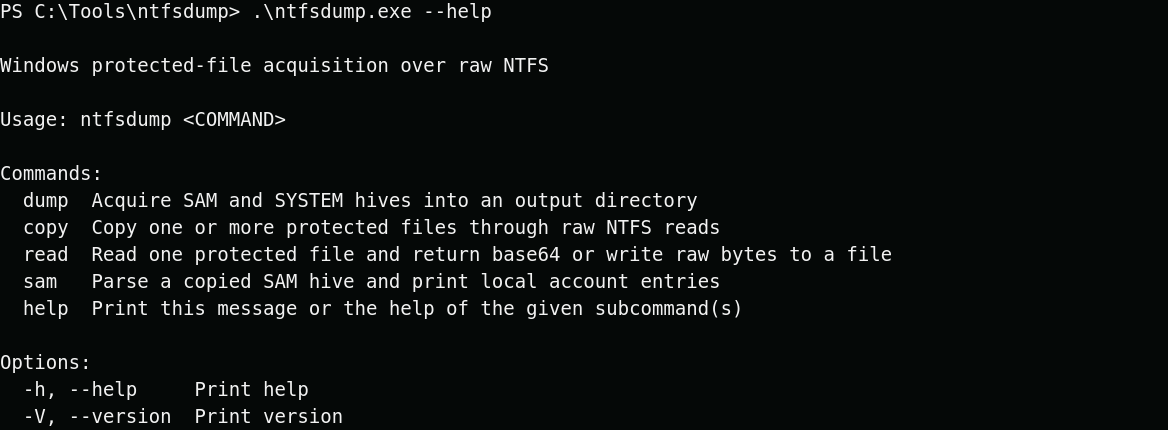
The commands are simple on purpose. dump copies the common local account hives. copy lets you point at another protected path. read is for grabbing one file directly. sam reads a copied SAM hive and prints the local accounts with the sensitive fields redacted.
The copy side starts with NTFS itself. First, the tool reads the boot sector. That gives it the basic layout of the volume: sector size, cluster size, file record size, and where the Master File Table begins.
The MFT is where NTFS keeps track of files and folders. Each file has a record. That record tells NTFS where the file lives on disk.
For a path like C:\Windows\System32\config\SAM, ntfsdump walks the path one folder at a time. It starts at the NTFS root. It finds Windows, then System32, then config, and finally SAM.
That is why the normal file lock does not stop the copy. The tool is not opening SAM like Notepad would. It is following the filesystem records, finding where the bytes live, reading them from the volume, and writing them back out as a normal file.
Files are not always stored in one clean block. NTFS can split a file across several places on disk. ntfsdump follows those runs, reads each piece, and puts the file back together in the output folder. It also handles NTFS record fixups, which are small checks NTFS uses when a record spans more than one sector.
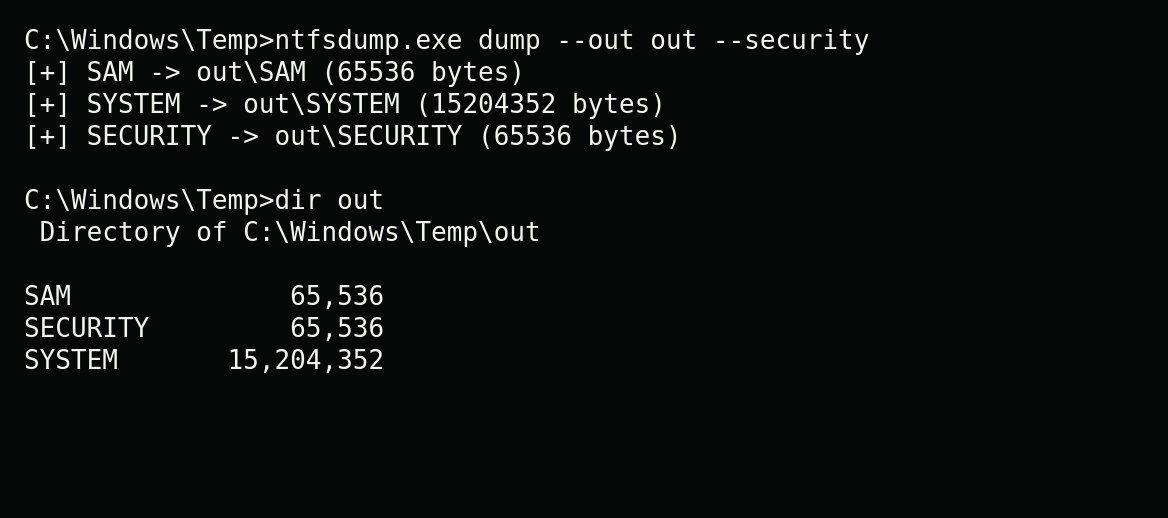
Here is the basic dump flow. The command copies SAM, SYSTEM, and SECURITY into an output folder, then a directory listing shows the files that were written.
Copying the hive is only half the story. The next step is making sense of it. The sam command opens the copied SAM hive, walks the local user records, pulls the usernames, and shows whether LM or NT password fields exist. The values are redacted here because the point is the flow, not dumping secrets into a blog post.
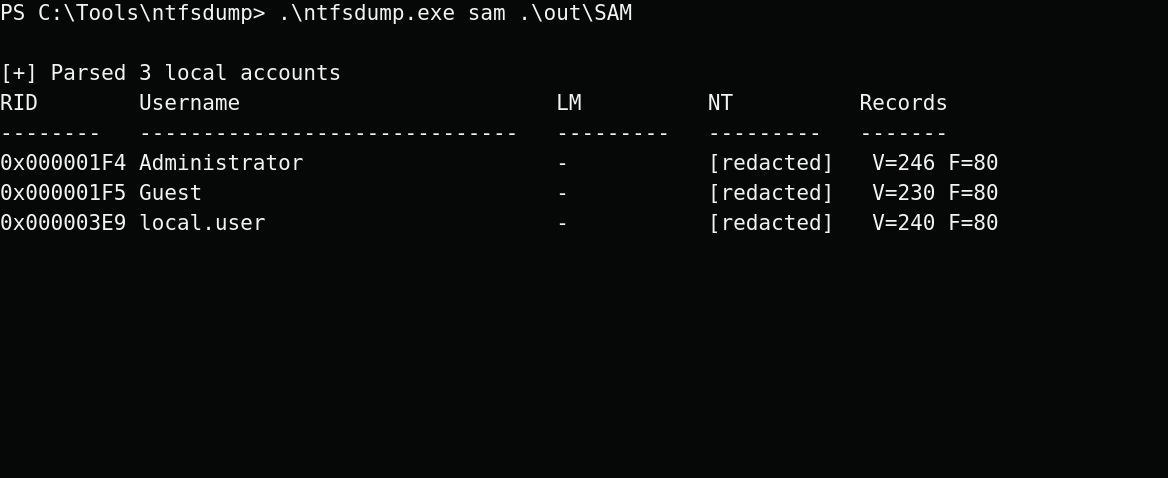
That is the whole idea. First, copy the locked files. Then parse the copied SAM hive. You are no longer fighting the live Windows file path at that point.
For beginners, this is the part worth remembering. The hard bit is not always parsing the file. Sometimes the hard bit is getting a clean copy of a file Windows is already using. Raw NTFS gives you a practical way to do that when you have the rights to read the volume directly.
There are still limits. The tool needs admin rights. It creates process activity and output files. It is not invisible. The design stays small and direct: find the file through NTFS, copy the bytes, and parse the SAM when local account data is the objective.
Source: github.com/nzyuko/ntfsdump