Hidden VNC makes more sense once you stop treating every operation like a shell problem. A shell is perfect when the job is deterministic: run a command, read output, move on. Enterprise environments are rarely that clean. A lot of useful access sits behind visual workflows: browser sessions, SSO prompts, ERP screens, CRM portals, database consoles, admin tools, thick clients, and internal dashboards that were never designed to be driven from a terminal.
That is the niche HVNC fills. Instead of taking over the user’s visible desktop like normal remote desktop tooling, the operator gets a separate desktop surface. Applications can run there, frames can come back to the viewer, and input can be sent into that isolated workspace without turning the user’s main desktop into the work area.
There are not many public tools worth studying in this space. TinyNuke is the obvious reference point because it showed why a second desktop could be operationally useful. Most public discussion stops at “malware has HVNC” and skips the parts that are actually interesting to build: transport, frame flow, input routing, desktop creation, session state, and operator ergonomics.
RustyVNC is a standalone implementation of that tradecraft. The client is written in Rust for the Windows side, while the relay and browser viewer are written in Go. The idea stays focused: create a separate desktop, stream it into the browser, and make the operator surface feel immediate instead of buried under tooling ceremony.
Transport First
The transport model follows the same pattern as Fox3: use a live encrypted channel when the network allows it, but keep a reliable HTTPS path when WebSocket upgrades are blocked.
Everything starts from an HTTPS relay URL. If WSS is available, the client upgrades and keeps that live channel open for frames, input, and session messages. If the upgrade fails, it falls back to HTTPS polling instead of dropping the session.
When the upgrade works, the client stays on WSS and keeps one encrypted connection open for the session.
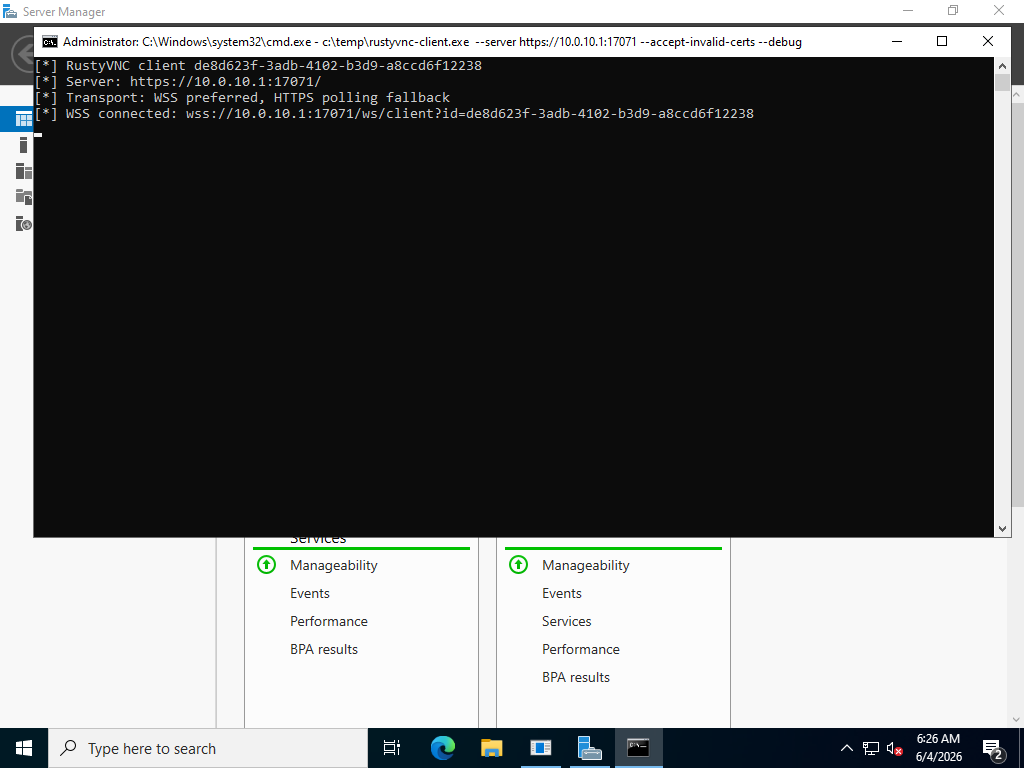
This is the preferred mode for interactive use. The session stays on one encrypted channel, so desktop frames and operator input are not forced through a fresh request cycle every time something changes on screen.
The fallback path is visible when the client sits behind a TLS proxy that allows normal HTTPS traffic but rejects the WebSocket endpoint. The WSS attempt fails, then the client continues over HTTPS polling.
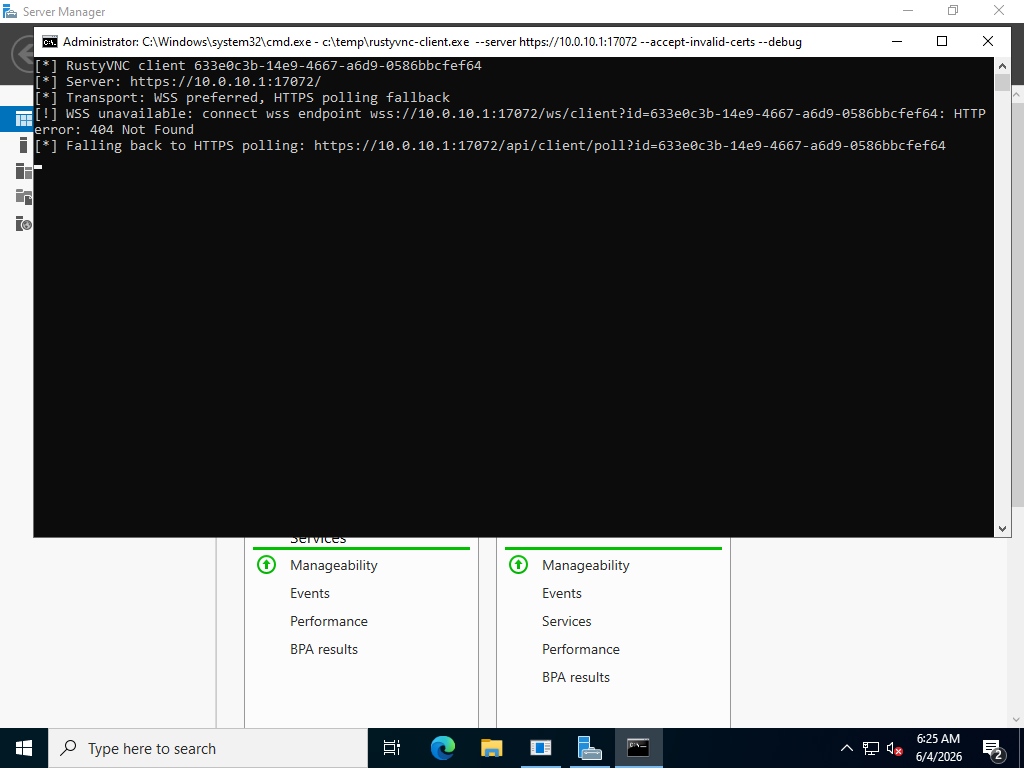
Polling is not as smooth, but it is practical. Some environments allow normal HTTPS traffic while blocking WebSocket upgrades. In those cases the client can still check in, receive work, and return frames through ordinary request and response traffic.
The rule is simple: no cleartext http:// or ws:// as the normal path. If a tool is moving desktop frames and operator input, encryption should not be optional.
What Runs Where
RustyVNC has three parts. The Windows client handles the desktop work: creating the desktop context, launching applications into it, capturing frames, encoding JPEG, and applying input. The Go relay handles the network side: TLS listener, WebSocket viewer, HTTPS polling endpoint, status messages, and frame fan-out. The browser viewer is the operator surface.
That separation is the reason RustyVNC is split out from the larger Fox3 work. Inside a C2, HVNC can become just another module. As a standalone project, the design is easier to reason about: one Windows client, one relay, one viewer.
Client Check-In
The first meaningful state is intentionally plain: the client has reached the relay, but the hidden desktop has not started yet.
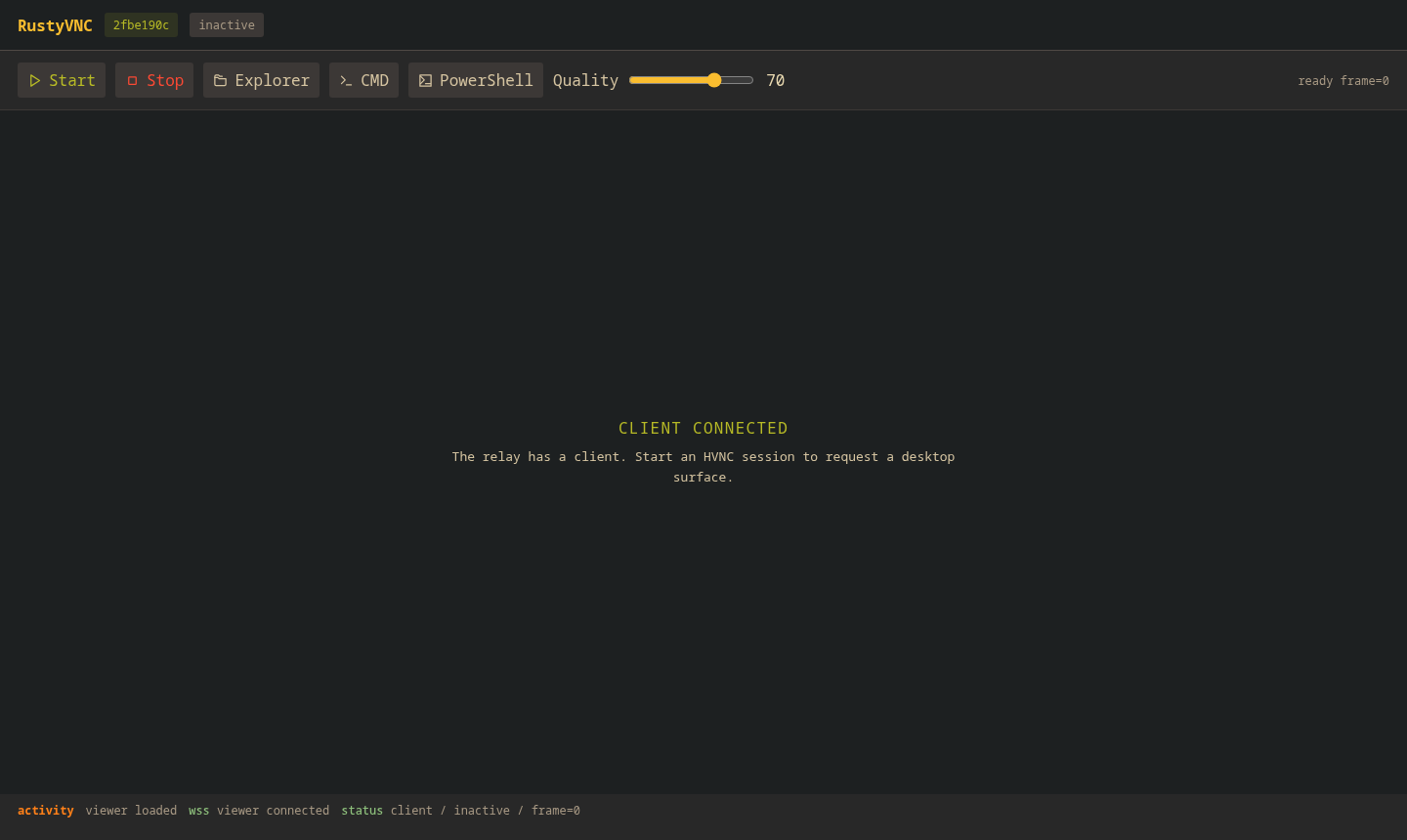
This is an important distinction. Check-in only means the Windows client reached the relay. It does not mean a desktop exists yet, and it does not mean frames are moving. Keeping that state visible makes debugging much easier.
The test setup used a Windows Server VM as the client, an Ubuntu relay, and the browser viewer connected directly to the relay. The Windows client should run from an interactive desktop session. Running it like a background service can lead to misleading black-frame behavior because there may be no real desktop context to capture.
Desktop Streaming
Once the session starts, the client creates the hidden desktop and begins sending frames back to the browser.
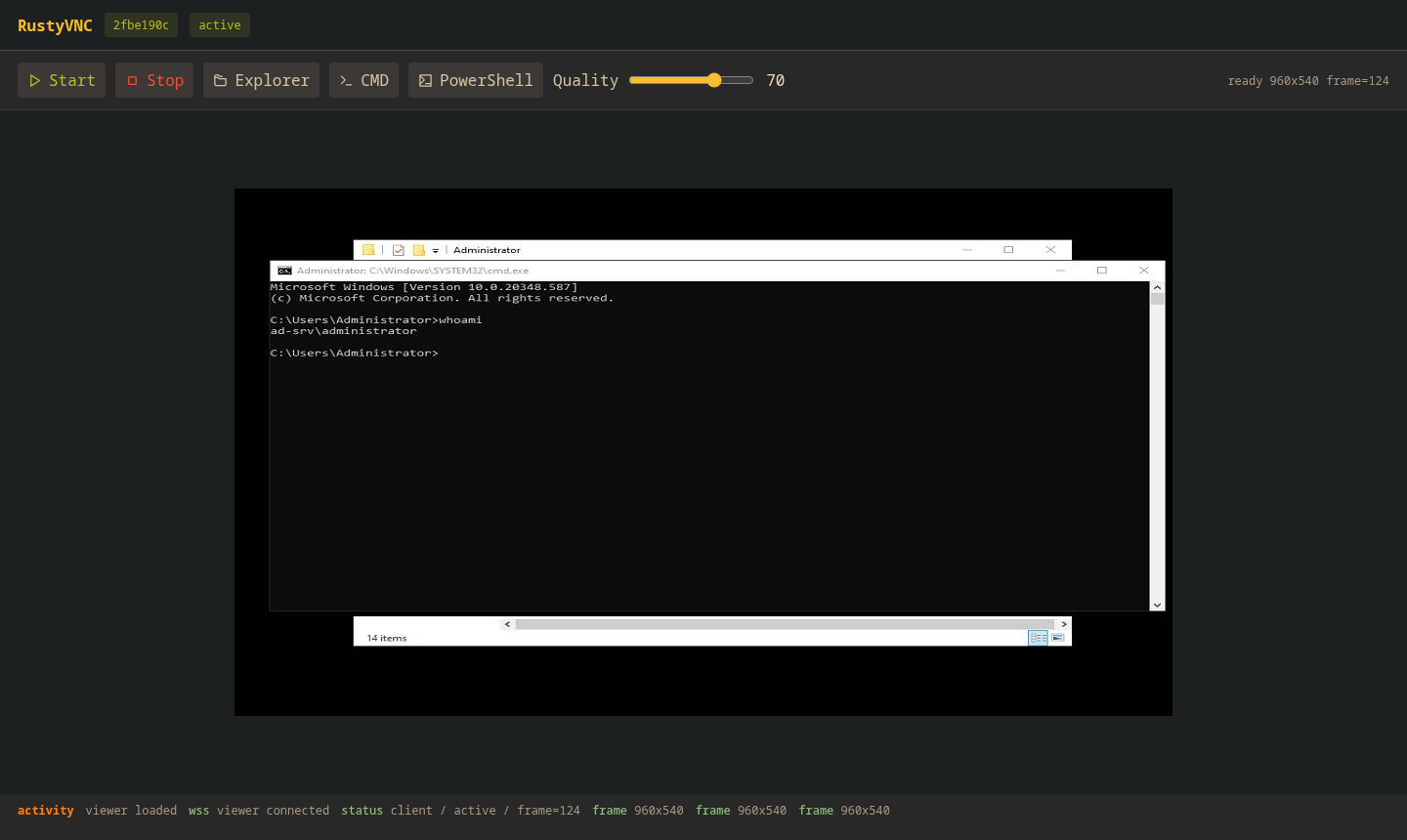
At this point the viewer stops being a status page and becomes the operator surface. The frame counter advances, the desktop dimensions are visible, and the Windows desktop is rendered inside the browser stage.
This build streams at 960x540. That is a reasonable starting point for a standalone tool: small enough to keep bandwidth and encoding cost under control, but still readable enough for normal Windows UI work.
Control From The Browser
Seeing the hidden desktop is only half the story. The browser also needs to drive it.
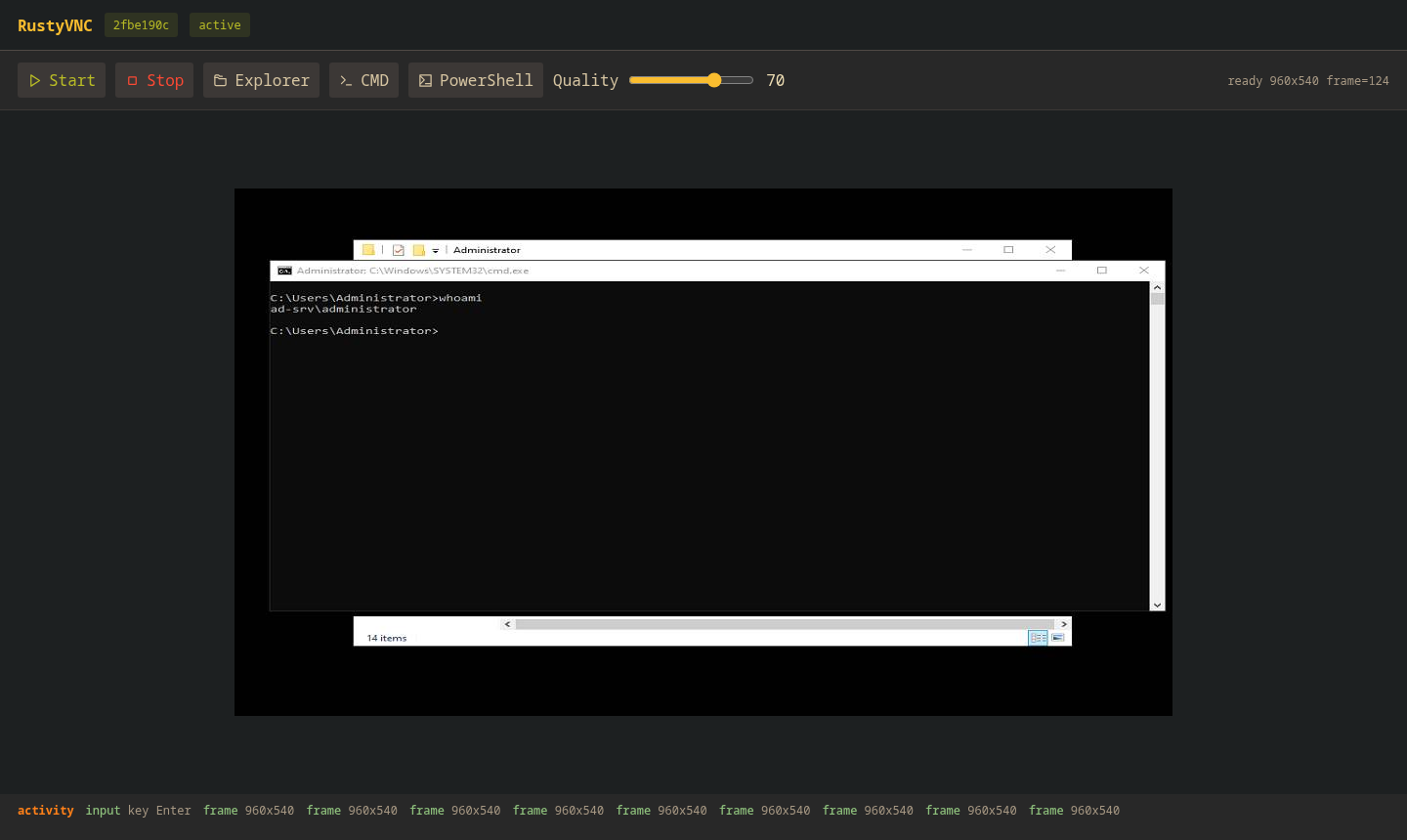
This is the loop that matters. The operator works from the browser, input lands inside the hidden Windows desktop, and the next frame comes back with the updated state. At that point it stops being a stream and becomes a usable workspace.
That is where HVNC fits modern red team work. Some objectives are visual by nature: browser sessions, admin consoles, ERP screens, CRM workflows, database tools, and thick clients. A shell is still valuable, but it is not always the right interface for work that depends on reading the screen and making decisions from the UI.
WSS vs HTTPS Polling
WSS is the fast path because it keeps one encrypted connection open. Frames and input can move as soon as they are ready. HTTPS polling is the compatibility path, and the tradeoff is overhead: the client has to keep asking the relay for work and sending results back in request bodies.
The comparison used the same lab for both paths: Windows Server VM client, Ubuntu relay, browser viewer on the relay host, 960x540 output, quality 70, CMD open inside the hidden desktop, and a 20-second capture window after the session was active.
| Transport | Frames in 20s | Frame rate | First frame | Average JPEG |
|---|---|---|---|---|
| WSS | 43 | 2.15 fps | 3.38s | 24.5 KiB |
| HTTPS polling fallback | 13 | 0.65 fps | 3.38s | 23.8 KiB |
The first-frame time was almost identical because that part is dominated by hidden desktop startup and application launch. The difference shows up once the desktop is streaming: WSS delivered about 3.3x more frames in the same window. HTTPS polling still has a place because it keeps a path alive when WebSocket upgrades fail, but it is the backup plan, not the ideal way to drive a live desktop.
Why Rust
The Windows client is the part that benefits most from Rust. It touches desktop APIs, frame buffers, input handling, and long-running session state. Rust makes that easier to keep structured without giving up native Windows access.
The server does not need to be clever. Go is a good fit for the relay because the job is mostly network handling, WebSocket fan-out, JSON status, and simple static hosting for the viewer.
That split keeps the tool focused. Rust handles the Windows side where native control matters, Go keeps the relay small, and the browser viewer gives the operator a simple place to inspect and drive the session.
Source: github.com/nzyuko/rustyvnc